
Insights
Excel vs Power BI Is the Wrong Fight. Here's What Finance Should Keep.
Power BI vs Excel is the wrong fight. Keep shared actuals in Power BI, modeling and statements in Excel, connected—not pasted. A mid-market CFO guide.
IT wants Power BI. Finance still closes in Excel. The board wants one number.
That is not a contradiction. It is how mid-market finance actually works.
The search is real: “Power BI vs Excel for financial reporting.” “Should we replace Excel with Power BI.”
The mistake is treating the search as a replacement decision. Kill Excel and you starve modeling and formatted statements. Keep everything in Excel and you never get shared, refreshable actuals. The fight is false. The split is not.

The problem
Finance does two jobs under one word: reporting.
Shared actuals. What we booked. Same definition for the CFO, the plant, and the pack. That number should not live in an email attachment.
Judgment work. Forecasts. Scenarios. A P&L that must look like last quarter’s because the committee will line it up. Cell-level models. That work is still Excel.
A Power BI project that tries to be both usually fails the second job. An Excel file that tries to be both usually fails the first.
You feel it as paste, a dashboard nobody trusts, and a meeting that starts with “which file is right.”
If the team is still copying ERP extracts into workbooks, that is the reporting drag in How Power BI Consulting Solves Finance Reporting Pain Points. This piece is the other half: what not to rip out.
The costs of the false fight
-
Two versions of actuals. Ops has a dashboard. Finance has a workbook. Neither is lying. Grain, timing, and exclusions differ. Conflicting numbers are a governance problem, not a chart problem. See The Hidden Costs of Poor Power BI Governance.
-
The close still waits on paste. Power BI went live. Someone is still exporting, then typing. The tool changed. The bottleneck did not.
-
Models get worse, not better. You force a three-statement model or a board layout into Power BI because “we’re standardizing.” DAX is the wrong place for cell-level scenario work. That is a design mismatch, not a week of training.
-
Trust dies in the exec meeting. The first time the dashboard and the controller’s pack disagree, leaders stop using both. Then they ask for a spreadsheet.
-
Shadow Excel comes back. If finance cannot format, annotate, and model in a tool they own, they rebuild actuals off to the side. You paid for a platform and kept the version-control problem.
What to keep in Excel vs what belongs in Power BI
Keep Excel for work that is constructed, not merely displayed.
- Modeling. Budgets, forecasts, what-if, capital cases. Power BI is not a modeling grid.
- Formatted statements. Department P&L, consolidations, trial-balance tie-outs, board packs that must match last quarter’s layout.
- Commentary and adjustments. Narrative, one-off reclasses. A workbook with an owner and a date.
Put Power BI on work that must be shared, current, and the same for everyone.
- Actuals the company will argue from. One semantic model. One set of measures. Refresh on a cadence finance agrees to.
- Cross-functional views. Plant, region, product. Drill without a new extract.
- Access you can defend. Role-based views beat a workbook forwarded to the wrong inbox.
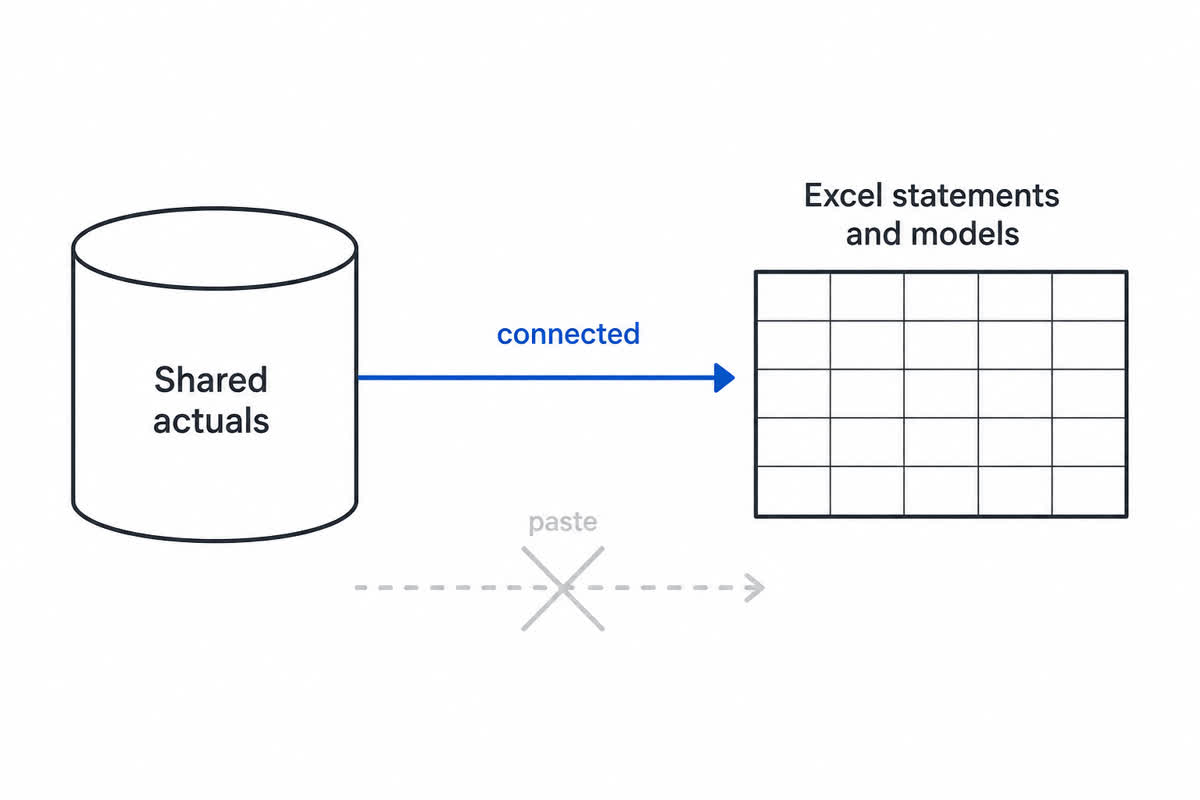
Excel is not the enemy. Pasted actuals are. Power BI holds actuals so Excel does not have to be a distribution system.
Microsoft documents a real pattern: Excel connected to a Power BI semantic model (Analyze in Excel). The point for a CFO is not the ribbon. Actuals refresh from the model. The workbook stays Excel.
| Keep in Excel | Put in Power BI |
|---|---|
| Models, scenarios, sensitivity | Shared actuals and KPIs |
| Formatted statements and board packs | Interactive views for the rest of the business |
| Commentary and owner files | One definition of the number, with access control |
| Connected to the model | Source of the actuals the workbook uses |
If the workbook is still an ERP dump, you renamed the export. You did not make the split.
How to fix it (without a steering committee)
You do not need a six-month “Excel exit.” You need a boundary, then one working loop.
-
Name the official actuals. One model, one owner, one refresh window. Write down what “revenue” includes. If two dashboards already disagree, fix that first. Start with the metric leadership already fights about.
-
Stop using Power BI as a statement printer. Paginated, annotated packs that must tie to the GL layout stay in Excel. Power BI feeds the pack. It does not impersonate it.
-
Connect the pack. Do not paste it. Point working files at the semantic model. If someone still copies values, that is a process break, not a training slide.
-
Leave modeling in Excel on purpose. When a scenario needs actuals, pull them from the model. Do not rebuild the forecast in DAX because a roadmap said “all finance in Power BI.”
-
Inventory the dangerous workbooks. Not every file. The five that hit the ELT or the board. Who owns them. Paste or connect. Retire last month’s extract with a new tab name. Same instinct as sunsetting abandoned reports in Power BI governance.
-
Prove it on one loop. One P&L (or cash view) in Power BI. One connected Excel pack. One week of the same actuals in both. If that loop still pastes, do not scale it. Slow or unused models are a different job: dashboard optimization.
If you cannot tell a decision metric from a close artifact, that is strategy, not a license upgrade. See the Data & AI Strategy Roadmap. Ongoing ownership of definitions and refresh is Managed Data & AI Advisory.
Frequently asked questions
Should we replace Excel with Power BI? No. Replace pasted actuals. Keep Excel for modeling and formatted statements. Use Power BI as the shared actuals layer.
Can Power BI produce our board package? It can show the same actuals. It is usually the wrong place for pixel-precise, commentary-heavy statements. Keep the pack in Excel, connected to the model.
How do we keep Excel and Power BI from drifting? Do not maintain two copies of actuals. One semantic model. Excel consumes it. Drift starts when someone pastes.
Do we need a new platform to connect them? Not for the pattern. Microsoft already documents Excel connected to Power BI semantic models. ERP Excel add-ins are optional. Start there before you shop. The split holds on ERPs besides Business Central too.
Get started with Alluvium
You do not need to pick a winner. You need a clean actuals layer and Excel that consumes it.
Need a 30-minute look at where your numbers still get pasted? Contact Alluvium. We’ll map one actuals source and one workbook that should connect to it, not a replacement program.
Next step
Book a Session
Need a clearer finance or executive reporting stack? Book a Session.